NuxusEd — Multi-Tenant School Management SaaS
A B2B school-management platform: a control plane that provisions and bills tenant schools, above a full school portal covering academics, staff, attendance, LMS, examinations and finance.
Case study
How this was built, in the order I'd walk someone through it.
- 01
Problem
Schools each want their own system, and nobody wants to run one. Selling school management as SaaS means the hard problems move up a level: provisioning a new school without touching a server, keeping one school's data provably invisible to another, and handling the unglamorous commercial reality that subscriptions lapse — without either cutting a school off from its own records or letting an unpaid tenant keep writing.
- 02
Users
Platform super admin (the SaaS operator)School adminTeacherParentStudent - 03
Architecture
NestJS services over PostgreSQL, with Redis for caching and background work, containerised with Docker behind nginx on AWS EC2. Two distinct web surfaces sit on that API — a platform control plane (tenants, schools, franchises, subscriptions, invoices, payments, plans, roles, audit logs, service health) and the per-school portal — plus a Flutter client that serves all three school-side roles from one codebase.
- 04
My responsibility
Full-stack. NestJS/PostgreSQL modules for school administration, finance and payroll, and media broadcasting; the React/Next.js dashboards for both the control plane and the school portal; and the Flutter app covering the parent and teacher portals against the same API with JWT auth.
- 05
One important feature
Subscription state as a first-class platform concern
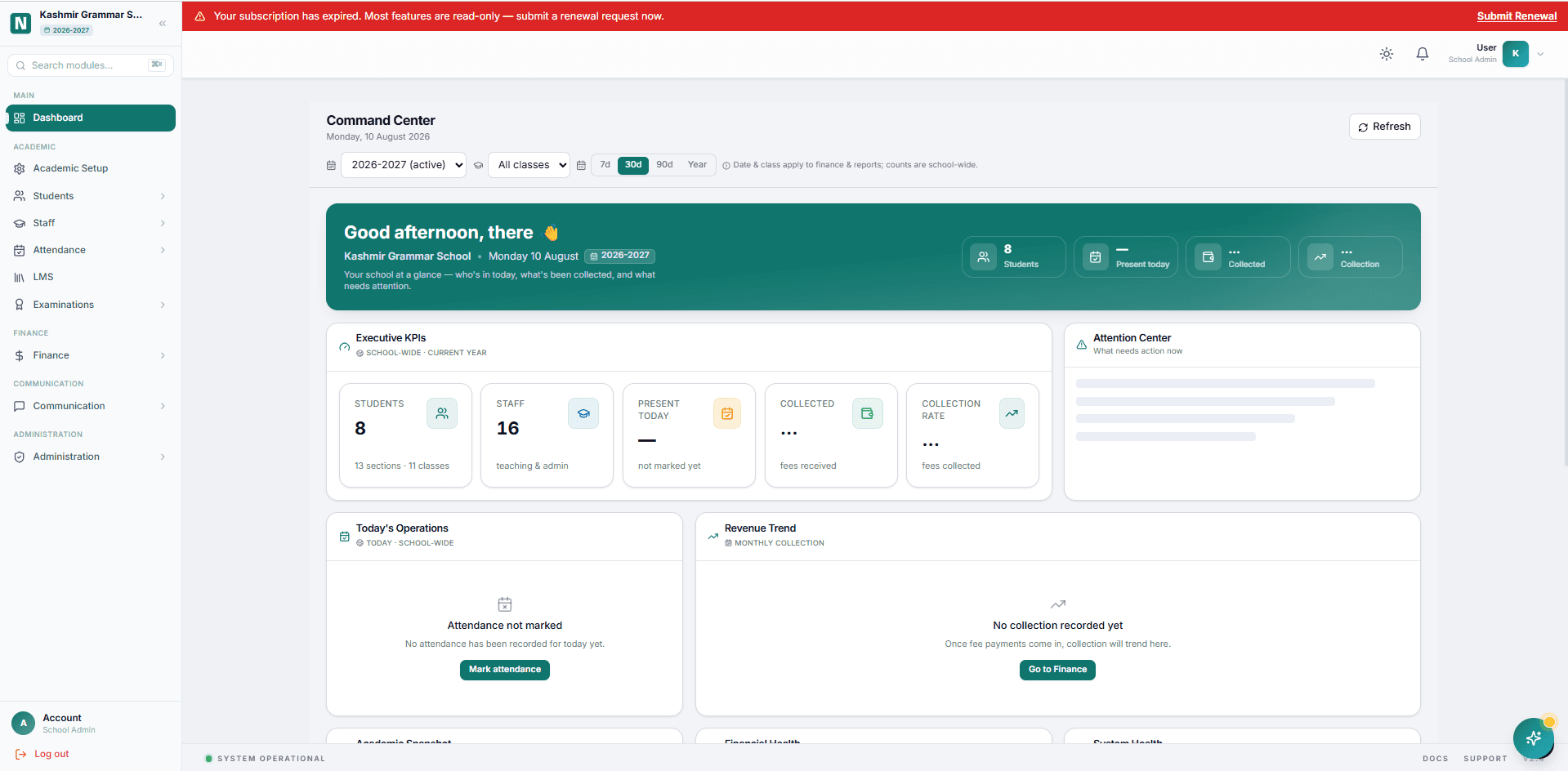
A tenant's subscription status is enforced at the platform layer, not left to each feature. When a school's subscription expires it drops into a read-only mode — a persistent banner across every screen, writes disabled, a renewal request one click away, and the school's own data still fully readable. The control plane tracks the whole lifecycle ahead of that point: active, expiring within 14 days, within 7, expired, suspended, with a renewal queue the operator works from.
- 06
How it works internally
Provisioning a school is an asynchronous pipeline, and the control plane instruments every stage of it rather than hiding it — tenants provisioning, provisioning failures pulled from audit logs, auth setup failed and needing retry. Outbound side effects run through a transactional outbox drained every ten seconds, so the dashboard can surface outbox pending and outbox failed (retry limit reached) as real operational signals instead of losing them in a log file. Inside a school, everything hangs off an academic session: class levels, subjects, sections, subject and teacher mapping, period templates, timetable, holidays and grading schemes. The setup screen turns that dependency graph into a visible checklist with readiness rings — curriculum mapped, teachers assigned, timetable filled — because a half-configured school is the state that generates every support ticket.
- 07
Challenge
The same domain has to be right for three very different audiences at once. A platform operator thinks in tenants, dunning and uptime. A school admin thinks in sections, fee structures and payroll. A parent thinks about one child's attendance and one bill. Modelling all three over a single tenant-isolated schema — without the parent's app inheriting the complexity of the admin's console — was the central design problem.
- 08
How I solved it
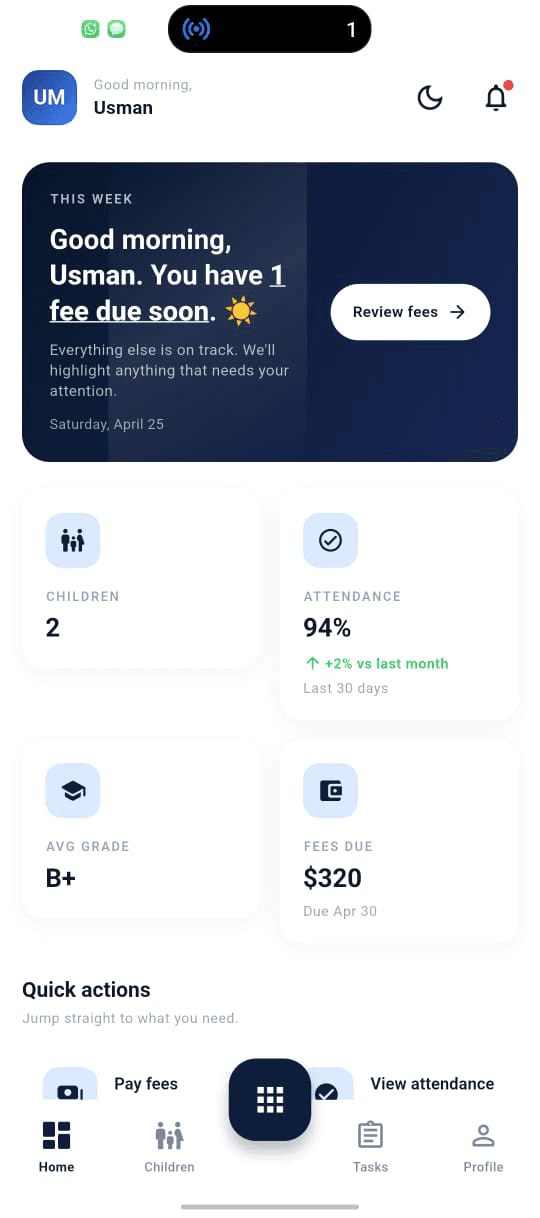
I separated the surfaces hard while keeping one API. The control plane and the school portal are different applications with different navigation and different vocabularies, so neither leaks into the other. On mobile, one entry point routes by role at sign-in and each role then sees only its own shape of the domain: a parent gets multi-child switching and a home screen that leads with what needs attention — a fee due, an attendance dip — while a teacher gets today's schedule and one-tap attendance marking. Same backend, three genuinely different products.
- 09
Trade-off
Enforcing subscription state at the platform layer means the commercial model reaches into every feature, which couples product code to billing in a way that is not architecturally pure. The alternative — checking entitlement per feature — would have been cleaner in isolation and far more likely to leave a gap. Given the failure mode is either cutting off a paying school or serving an unpaid one indefinitely, I took the coupling.
- 10
What I learned
Multi-tenancy is mostly an operations problem wearing an architecture costume. The work that mattered was making failure visible — provisioning failures, failed outbox messages, auth setup that needs retry, schools stuck at 83% setup — because in SaaS the thing that actually hurts is silent partial failure on one tenant that nobody notices until they churn.
Screens
Platform dashboard
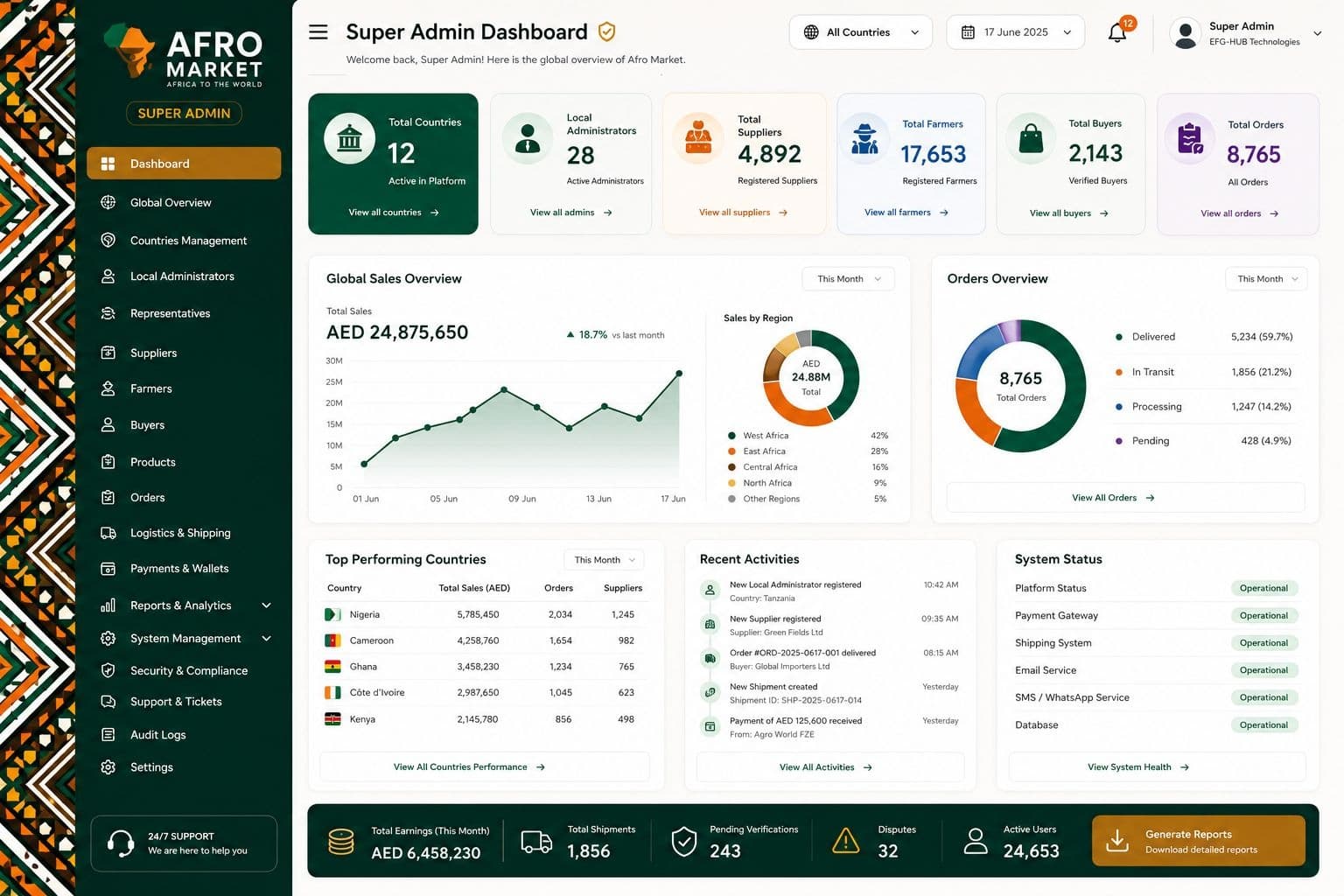
Subscription lifecycle across active / expiring / expired / suspended, alongside outbox pending and failed counts and provisioning health. Operational failure states promoted to the top-level view.
School command centre
Shown here in expired-subscription read-only mode: the banner and renewal CTA persist while the school's own data stays fully readable.
Academic setup
The session dependency graph as a checklist — sessions, class levels, subjects, sections, mapping, timetable, grading — with readiness rings for curriculum, teacher assignment and timetable coverage.
Finance overview
Student fees and staff payroll in one period view — collected, outstanding, collection rate, net cash — with invoice generation and payroll runs from the same screen.
Control plane sign-in
The operator's door. 'Your role determines the portal you see' — one credential set, routed by role.
School portal sign-in
A deliberately separate surface with its own identity — school admins never see the platform console.